
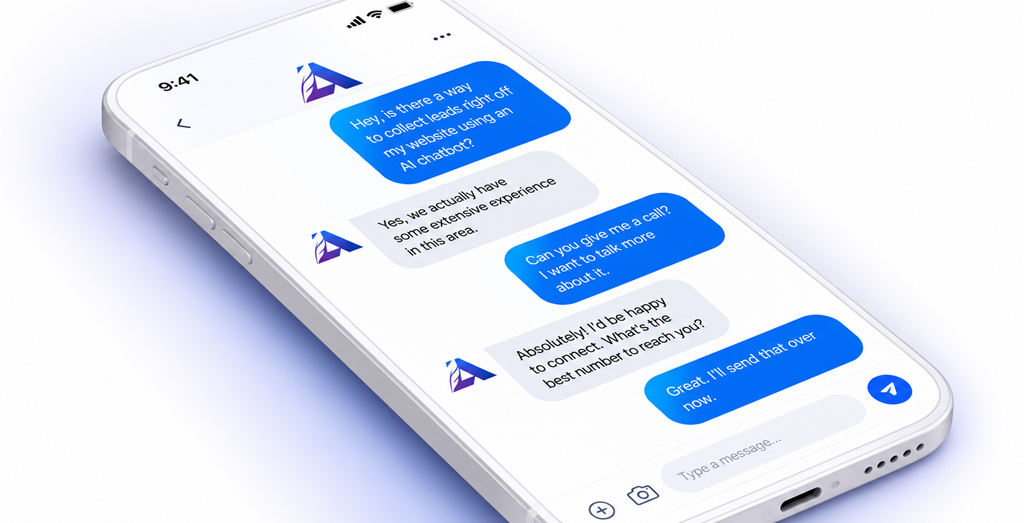
f you’ve used a website chatbot in the last ten years, you probably remember the frustration. You ask a simple question, and the bot replies with “I didn’t understand that” and a menu of options that don’t include what you need. It’s no surprise many business owners still associate chatbots with dead ends.
That experience is changing. Today’s AI agents can read a company’s own content, answer questions in natural language, and pass information directly into a CRM. The difference between a bot that helps and one that frustrates comes down to how it’s set up, trained, and managed.
At Apache Interactive, we’ve seen this firsthand. The setup decisions, not the software, determine the outcome. This guide covers what we’ve learned about making a conversational AI agent useful for customers, for your team, and for your marketing.
What a Conversational AI Agent Actually Is
The terms get used loosely, so here is how we use them.
A chatbot is the chat window on your website. An AI agent is the technology behind it: a system that understands questions written in everyday language and answers them using information you’ve given it. Conversational marketing is the broader practice of using those conversations to build relationships and generate leads.
A well-built AI agent does two jobs at once:
- Customer service: It answers common questions instantly, at any hour.
- Lead capture: It collects contact details and context, and records them in your CRM.
Both jobs depend on the same foundation: a knowledge base.
The Business Case
Every business has questions its team answers over and over. What are your hours? Do you offer this service? What’s included with this product? Each answer takes only a minute, but those minutes add up, and they pull skilled people away from work that needs a human.
A well-trained AI agent handles those routine questions and keeps your team available for the conversations that matter. Three benefits stand out:
- Time back for your team. Simple, repetitive questions no longer interrupt people who could be solving harder problems.
- Availability outside business hours. A visitor with a question at 9 p.m. gets an answer instead of waiting until morning, or leaving.
- Conversations become data. Instead of a missed call or an unanswered email, every chat can become a contact record with context attached.
Best Practice #1: Build the Knowledge Base First
An AI agent is only as good as the information behind it. If the content is thin, outdated, or contradictory, the agent’s answers will be too.
Before you think about chat windows or personalities, gather and organize what the agent needs to know:
- Frequently asked questions
- Service and product details
- Business hours, locations, and policies
- Support articles and how-to content
A few principles make the knowledge base work better:
- Keep one source of truth. If your website says one thing and an old PDF says another, the agent can repeat either. Resolve conflicts before training.
- Write the way customers ask. Phrase answers around real questions your customers use, not internal terminology.
- Schedule reviews. Hours change, services evolve, prices update. Assign someone to review the content regularly so answers don’t go stale.
There’s a bonus here. The same well-organized, question-focused content that trains your agent also supports your SEO and your visibility in AI search tools. The work pays off in more than one place.
Best Practice #2: Define the Agent’s Role and Personality
Think of your AI agent as a new team member. New hires get a job description, and so should your agent.
Decide clearly what it handles (hours, service details, basic product questions, getting contact information) and what it doesn’t (negotiating, special pricing, complex troubleshooting). Write that down. It becomes the foundation for everything else.
Then consider how it should sound. The tone should match your brand: friendly and plain-spoken for some companies, more formal for others. Two additional habits build trust:
- Be transparent that it’s an AI. People are generally fine talking to a bot. They’re not fine feeling deceived by one.
- Set expectations in the opening message. A short greeting that explains what the agent can help with, and that a person is available if needed, makes every conversation start better.
Best Practice #3: Design How It Collects Information
Lead capture is where many chatbots go wrong. They either ask for nothing and waste the opportunity, or they open with a wall of form fields and scare people off.
A better approach is to decide ahead of time what you actually need (typically name, email, company, and what they’re looking for) and when to ask. Let the conversation lead. After the agent has helped with a question, asking for an email to follow up feels natural. Asking before helping feels like a toll booth.
Some guidelines:
- Collect only what you’ll use. Every extra question lowers completion.
- Ask conversationally, one thing at a time, not as a form in chat clothing.
- Be clear about consent and privacy. Tell people how their information will be used and link to your privacy policy.
Best Practice #4: Connect It to Your CRM
This is where conversational AI shifts from a convenience to a marketing system.
When the agent is connected to your CRM, each conversation is tied to a contact record automatically. In our work with some clients, the AI agent runs through HubSpot, so when someone shares their details in a chat, they go directly into the CRM. The full conversation is recorded and attached to that contact. Nobody has to retype notes or hunt for what was said.
Having that conversation history in the CRM unlocks a lot:
- Context for your team. Sales and support see what the person asked and what they were told.
- Lead scoring. Conversation behavior, such as what someone asked about and how engaged they were, becomes a signal alongside form fills and page visits.
- Faster follow-up. Notifications and routing rules put promising conversations in front of the right person quickly.
- Better reporting. Chats become trackable data instead of a black box.
One caution: plan your field mapping before launch. Decide which chat details land in which CRM properties. Messy mapping creates messy data, and messy data erodes trust in the whole system.
Best Practice #5: Set Guardrails and Handoff Rules
Guardrails are what make an AI agent safe to put in front of customers.
Define what it should never do. That usually includes quoting custom pricing, making promises about timelines or outcomes, giving legal or medical advice, and answering anything that isn’t in the knowledge base.
Teach it to say “I don’t know.” An agent that admits a gap and offers to connect the person with a human is far better than one that guesses. A confident wrong answer does more damage than an honest handoff.
Decide when a human takes over. Clear triggers might include:
- The customer asks for a person
- The customer seems frustrated
- The question is complex or outside the agent’s scope
- The conversation signals a high-value lead
Make the handoff smooth. The person who picks up should see the full conversation, and the customer shouldn’t have to repeat themselves. Done well, the handoff feels like one continuous experience.
Best Practice #6: Test, Monitor, and Keep Training
Launching the agent is the starting line.
Review real transcripts regularly, especially in the first few weeks. You’ll find questions it couldn’t answer, answers that were technically right but unhelpful, and topics you didn’t realize customers cared about. Each gap is an opportunity: add the missing content to the knowledge base, and the agent improves.
Track a few simple metrics:
- Resolution rate: how many conversations the agent handled without a human
- Handoff rate: how often it passed to a person, and why
- Lead capture rate: how many conversations produced a usable contact
- Conversion: how many captured leads moved toward an opportunity
- Customer feedback: whether people found the experience helpful
Common Mistakes to Avoid
- Launching without a solid knowledge base. This is the most common cause of poor results.
- Hiding the human option. If people can’t reach a person, frustration builds.
- Asking for too much, too soon. Over-collecting data upfront kills conversations.
- Set-it-and-forget-it. Information changes. The agent has to keep up.
- Letting it over-promise. Without guardrails, an agent may say things your business can’t back up.
Where to Start: A Simple Checklist
If you’re considering an AI agent for your business, work through these steps:
- List the 20 to 30 questions your team answers most often.
- Make sure accurate, current answers to each exist in writing.
- Define what the agent will handle and what it won’t.
- Decide what contact information you need and at what point to ask.
- Map how conversation data will flow into your CRM.
- Set the triggers and process for handing off to a human.
- Assign someone to review transcripts and update content on a regular schedule.
If you can complete this list, you’re in a strong position to launch something that works.
The Takeaway
The most effective AI agents aren’t the most sophisticated. They’re the most carefully prepared. A well-built knowledge base, clear boundaries, clean CRM connection, and a reliable path to a real person turn a chat window into a genuine asset for service and marketing.
The goal isn’t to replace your team. It’s to let your people spend their time where human judgment and relationships matter most, while the AI handles the repetitive questions and keeps every conversation connected to your marketing system.
Let's Do This Together.
Join over 10,000 subscribers that receive our digital newsletter, full of actionable news and information you can apply to your business. Sign up today!
Sharing Is Caring.
Share this post with all of your contacts by using the social sharing links below.
Related Content.


To Go Fast, Go Alone. To Go Far, Go Together.
Are Your Ready To Take The Next Step? Drop us a line today for a free consultation.
Get In Touch
Apache Interactive
Kingwood Texas
832.971.4905
[email protected]
We Love Referrals
Privacy and Security


Who We Are And What We Do
Apache Interactive is a digital marketing agency specializing in technical SEO, online advertising (PPC), content marketing, and web design and development services.
We work directly with client companies, and also partner with other marketing and branding agencies that want to have a digital marketing expert on call to assist with challenging projects.


Stay Connected
The Internet is a big place and we love to hang out on all of the major social networks.
Follow our accounts and never miss any of our photos, videos, or other digital marketing mayhem.